
Leonardo AI Anime Prompts: The Ultimate Guide to Creating Stunning Art
Modern prompt pattern • responsive assets • ready-to-copy
Prompt Template
(masterpiece, best quality, highres), 1girl/1boy, [Character Description: hair color, eye color, clothing, accessories], [Action or Pose: e.g., sitting on a rooftop, wielding a glowing sword, drinking tea], in [Setting: e.g., a neon-lit Tokyo street, a serene magical forest, a futuristic cyberpunk city], [Style Modifiers: e.g., 90s anime style, shoujo manga aesthetic, vibrant Ghibli-inspired colors, cel shading], [Composition & Lighting: e.g., dynamic angle, cinematic lighting, soft backlighting, rim lighting] --neg [Negative Prompts: e.g., ugly, deformed, blurry, bad anatomy, extra limbs, watermark]
Examples
Prompt
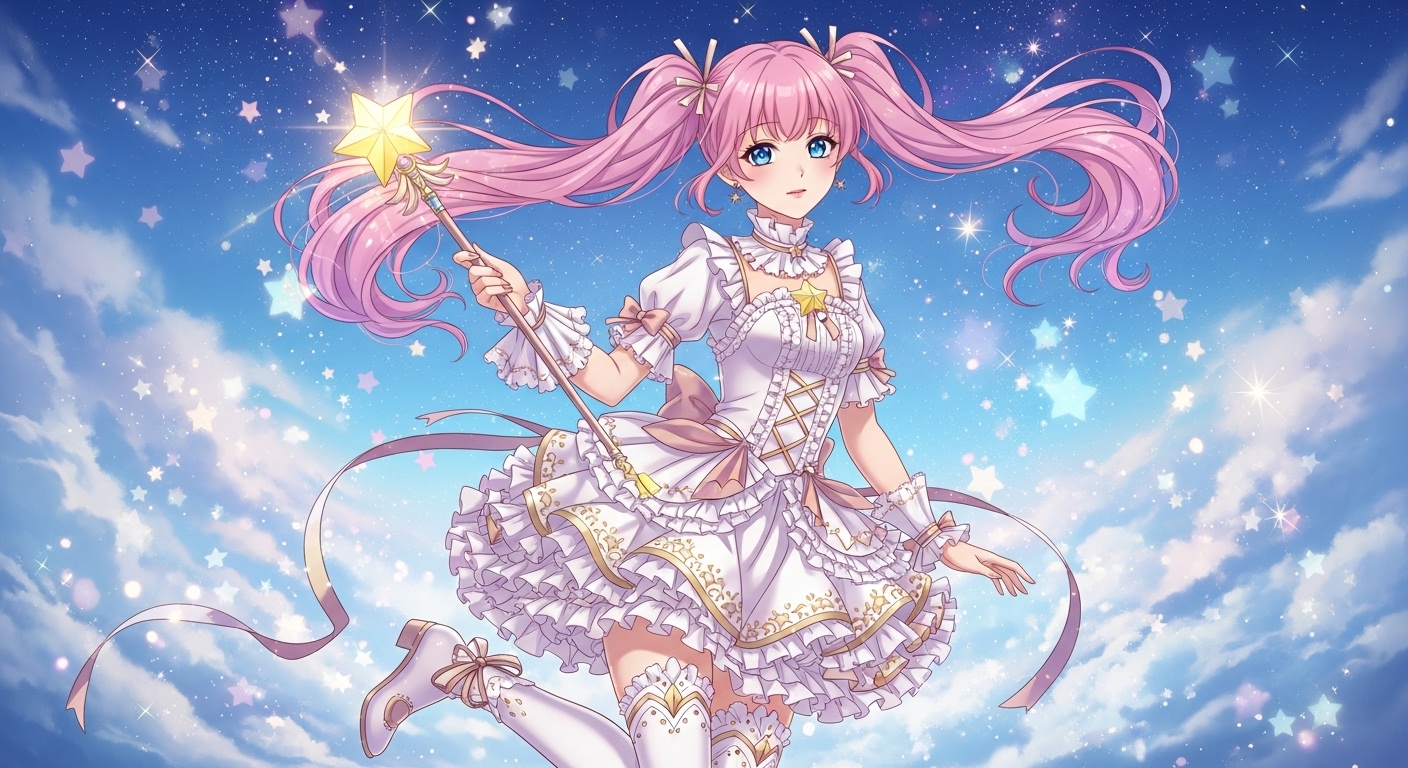
(masterpiece, best quality), 1girl, magical girl with pastel pink twin-tails, sparkling blue eyes, wearing a frilly white and gold dress, holding a star-shaped wand, floating in a cosmic sky filled with glitter and stars, kawaii art prompts style, vibrant colors, soft lighting. --neg ugly, blurry, bad anatomy
Prompt
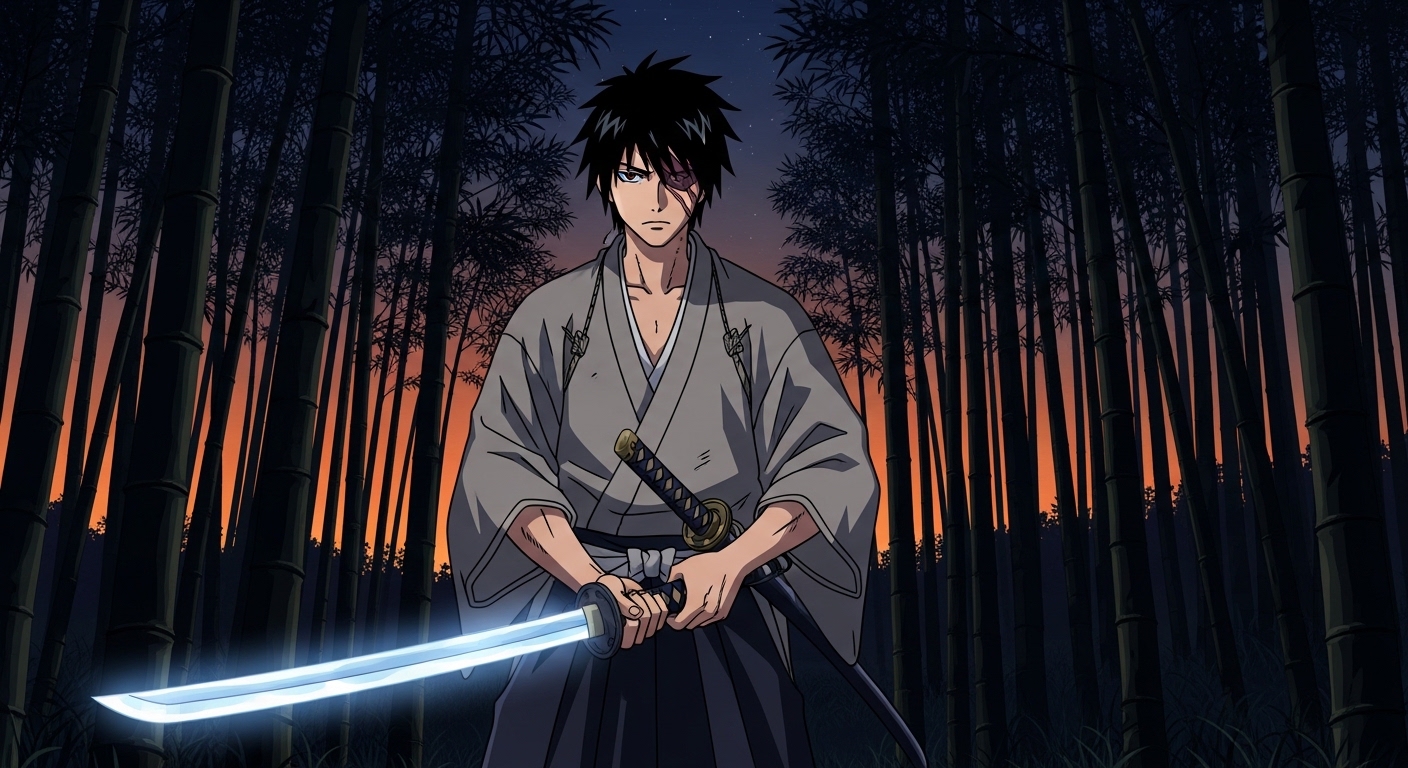
(masterpiece, best quality), 1boy, cool anime samurai with spiky black hair and a scar over his eye, wearing a traditional ronin kimono, holding a katana with a glowing blue aura, standing in a bamboo forest at dusk, 90s anime style, retro aesthetic, dramatic shadows, cel shading. --neg deformed, modern, watermark, text
Prompt
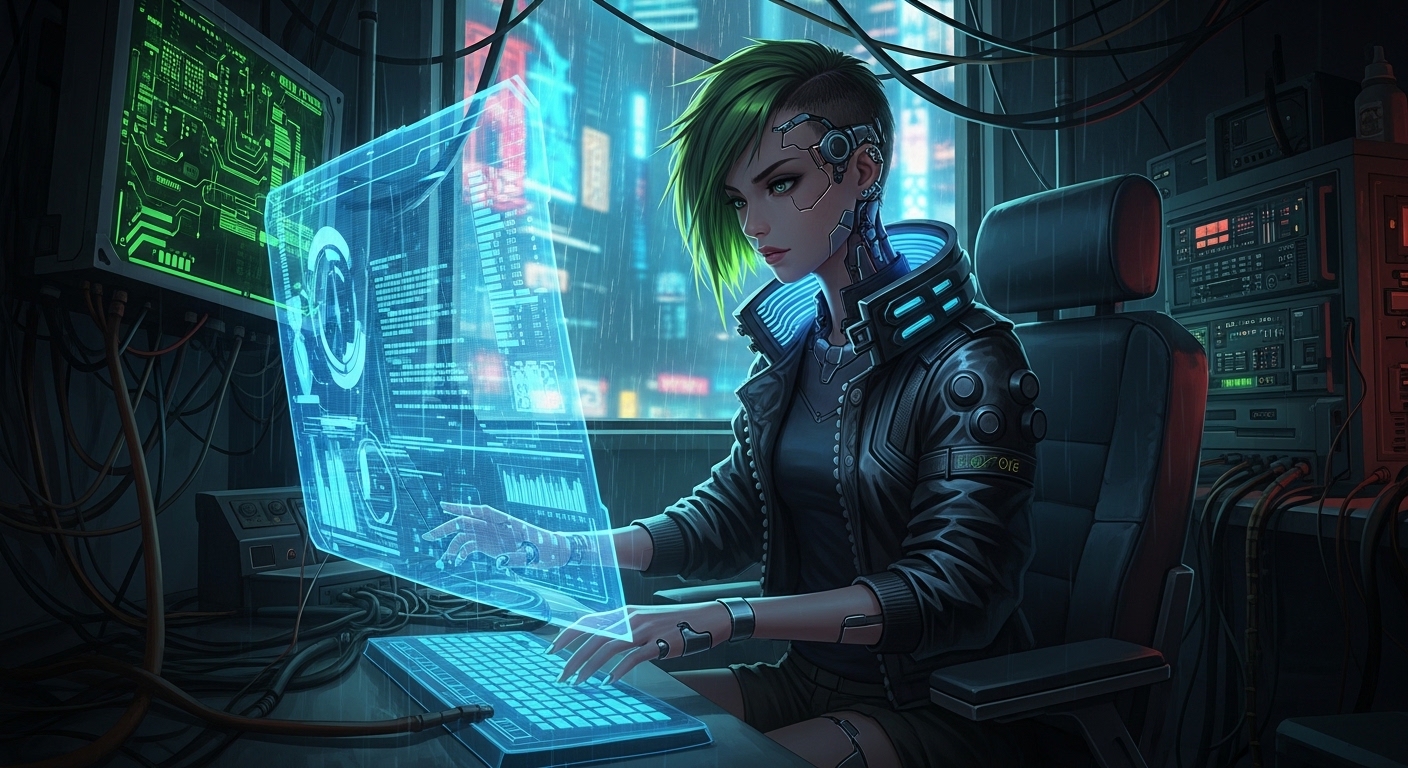
(masterpiece, best quality), 1girl, cyberpunk anime hacker with short neon green hair and cybernetic implants, wearing a black leather jacket, sitting in front of a holographic computer interface, in a cluttered high-tech room, Blade Runner inspired, cinematic lighting, moody atmosphere. --neg bright, happy, simple, clean background
Prompt
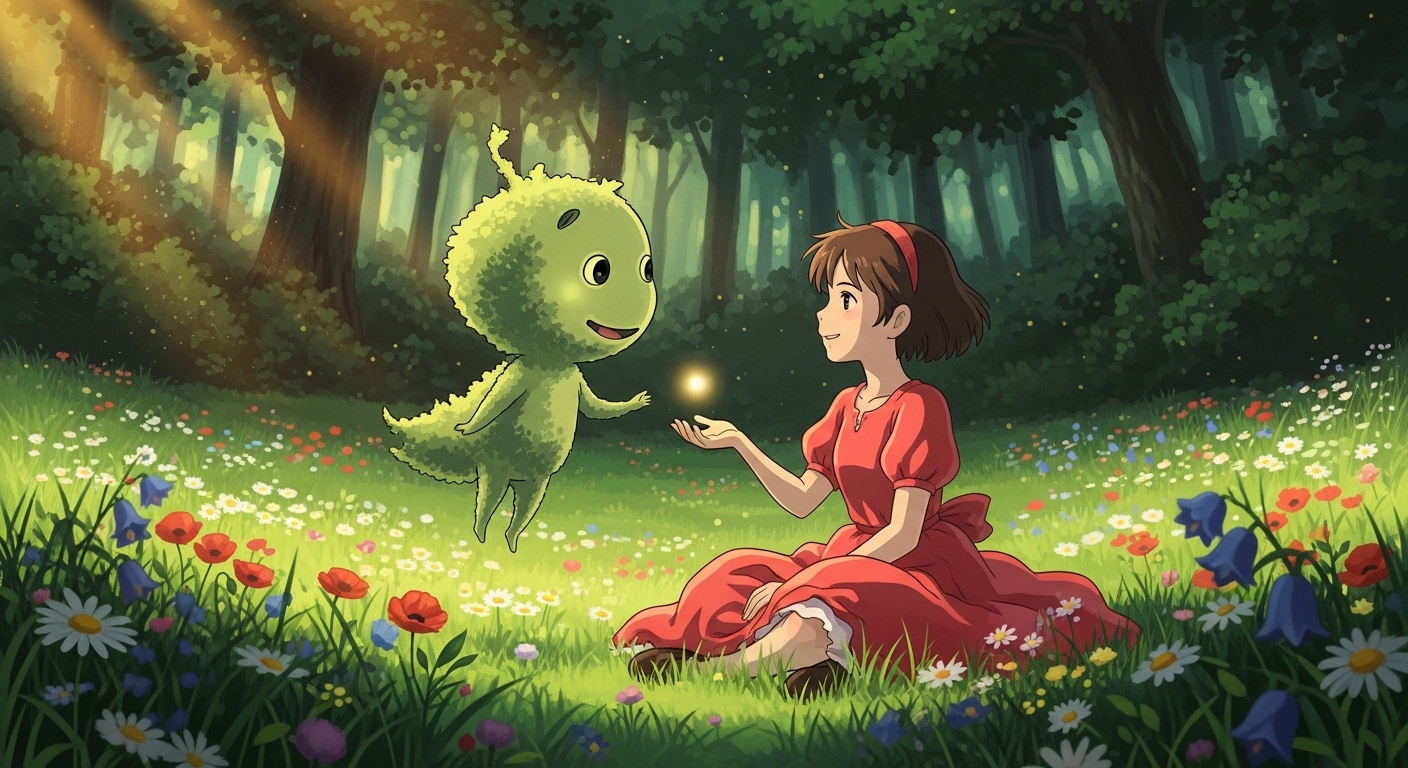
(masterpiece, best quality), a young anime girl with a bob haircut and a red dress, sitting in a lush green field filled with wildflowers, looking at a friendly forest spirit, Ghibli-inspired anime art style, painterly background, warm sunlight, nostalgic and peaceful. --neg dark, scary, futuristic, sharp lines
Prompt
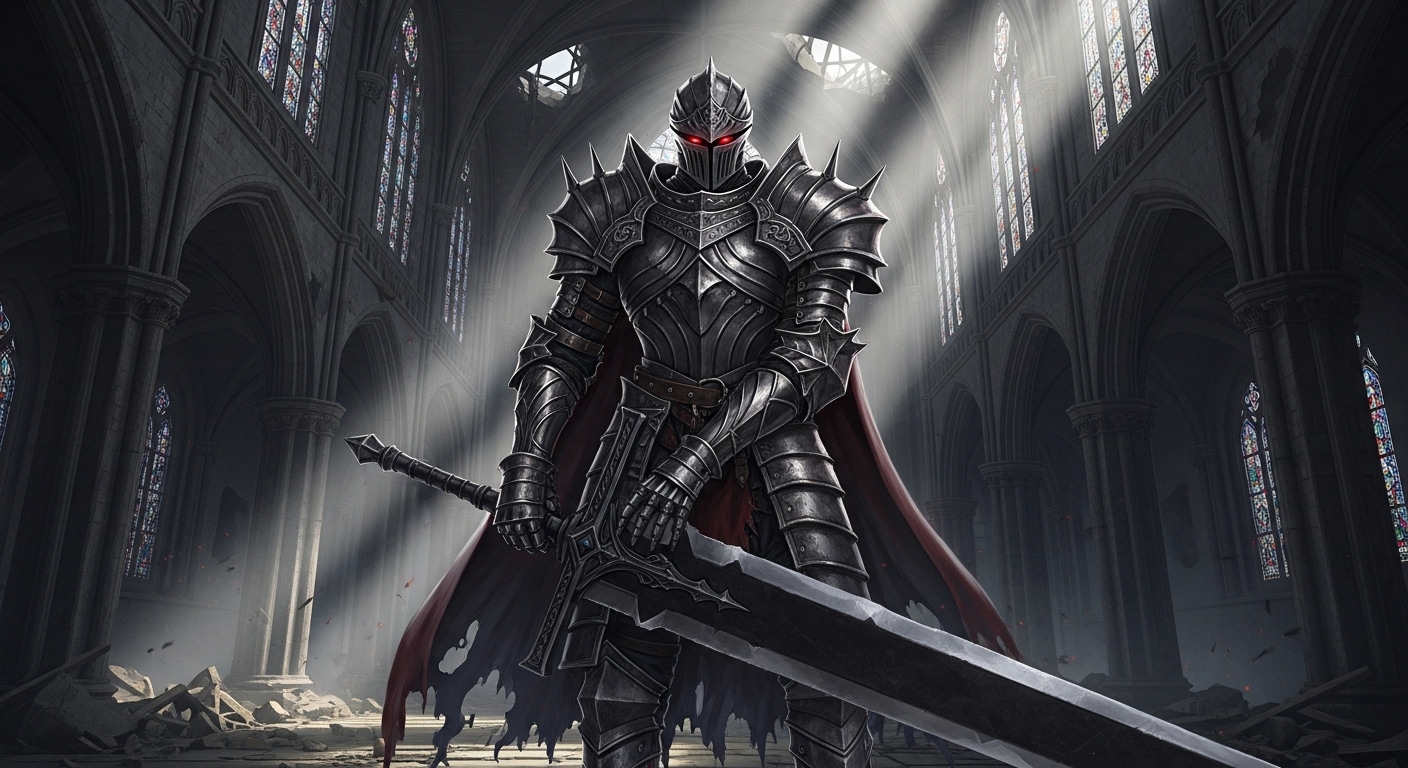
(masterpiece, best quality), full body shot, imposing anime knight in ornate dark soul-esque armor, glowing red eyes visible through the helmet's visor, holding a massive greatsword, standing in a ruined gothic cathedral, volumetric lighting, dark fantasy aesthetic, epic composition. --neg cute, chibi, simple armor, bright colors
Use Cases & Tips
Mastering the Anime Art Style in Leonardo AI
To get the most out of your Leonardo AI anime prompts, you need to be specific about the visual style you want. Different keywords can evoke distinct eras and genres of the anime art style.
- For a Modern Look: Use terms like ‘vibrant colors’, ‘detailed eyes’, ‘clean line art’, and ‘cel shading’. This is great for contemporary-looking character art.
- For a Retro Vibe: Specify ’90s anime style’, ‘retro aesthetic’, ‘film grain’, or ‘pastel colors’ to capture that classic look. This is a popular Leonardo AI 2D anime style prompt technique.
- For a Painterly Feel: Incorporate ‘Ghibli-inspired’, ‘painterly background’, or ‘soft lighting’ to create lush, scenic artwork reminiscent of famous anime films.
Creating Compelling Anime Character Designs
Leonardo AI excels at anime character design when given detailed instructions. Go beyond simple descriptions to build a full persona.
- Detail the Appearance: Don’t just say ‘girl with pink hair’. Try ‘girl with long, flowing pastel pink hair, sparkling amethyst eyes, and a determined expression’.
- Specify Clothing and Accessories: Describe the outfit in detail, such as ‘wearing a futuristic cyberpunk jacket with neon accents’ or ‘a traditional school uniform with a red bow’. This is key for crafting the best Leonardo AI prompts for anime girls and boys.
- Define the Pose and Action: What is your character doing? ‘Sitting on a moonlit rooftop’, ‘casting a powerful magic spell’, or ‘sharing a pocky stick’ adds life and story to your image.
The Power of Negative Prompts
One of the most important tips for how to create anime art with Leonardo AI is using negative prompts. These tell the AI what to avoid, leading to cleaner, more professional results. Add `–neg` at the end of your prompt, followed by terms like ‘blurry, deformed, bad anatomy, extra limbs, watermark, text, ugly, disfigured’. Using Leonardo AI negative prompts for anime is essential for avoiding common AI art mistakes.
Frequently Asked Questions
Ans. To achieve a specific 2D anime style, use descriptive keywords in your Leonardo AI prompts. For a retro look, try '90s anime style' or 'retro aesthetic'. For a modern feel, use 'cel shading' and 'clean line art'. Mentioning specific studios like 'Ghibli-inspired' or 'Trigger-style' can also heavily influence the output.
Ans. The best prompts are highly detailed. Instead of 'anime girl', describe her features, clothing, and expression. For example: 'beautiful anime girl with long silver hair, emerald green eyes, wearing a black gothic lolita dress, gentle smile'. Combining detailed character design with a specific action and setting will yield the best results.
Ans. Deformities like extra limbs or strange faces are common AI issues. The best way to fix this is by using Leonardo AI negative prompts for anime. Add `--neg` at the end of your prompt, followed by terms like 'bad anatomy, deformed, disfigured, extra limbs, ugly, blurry' to guide the AI away from these unwanted results.
Ans. Yes, Leonardo AI offers a free tier that provides you with a daily credit allowance. You can use these credits to generate a significant number of images, making it an excellent free AI anime generator. You can find many free Leonardo AI anime prompts, like the ones on this page, to get started immediately.
Ans. Some of the most effective Leonardo AI negative prompts for anime include: ugly, tiling, poorly drawn hands, poorly drawn feet, poorly drawn face, out of frame, extra limbs, disfigured, deformed, body out of frame, bad anatomy, watermark, signature, cut off, low contrast, underexposed, overexposed, bad art, beginner, blurry, text.
Ans. To create a unique anime character design, think like a writer. Combine unusual elements. For example, prompt 'a samurai with cybernetic arms' or 'a magical girl who uses technology instead of wands'. Detailing their personality through their expression ('stoic expression', 'mischievous smirk') and their clothing will help the AI generate a truly original character.