Post-Apocalyptic Diorama Prompt: Create Stunning Ruined City Art
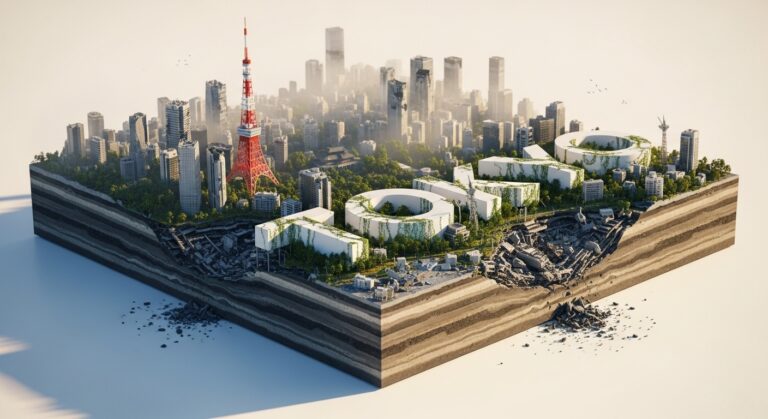
Create a stylish, hyper-realistic [X:Y] poster of a post-apocalyptic [city] as a square diorama. The scene features ruined landmarks, layered terrain with exposed soil, water, and rocks for depth, and overgrown plants reclaiming the city. Integrate the city’s name “[city]” in sleek 3D white letters, blending organically into the landscape. Use a cinematic, moody aesthetic—cracked structures, subtle fog, and dynamic lighting to make the decay feel dramatic yet elegant. Place the diorama on a clean white background for contrast. Ultra-detailed, high-resolution.
Examples
A few example prompts to help you see how this prompt can be used.
Prompt Example
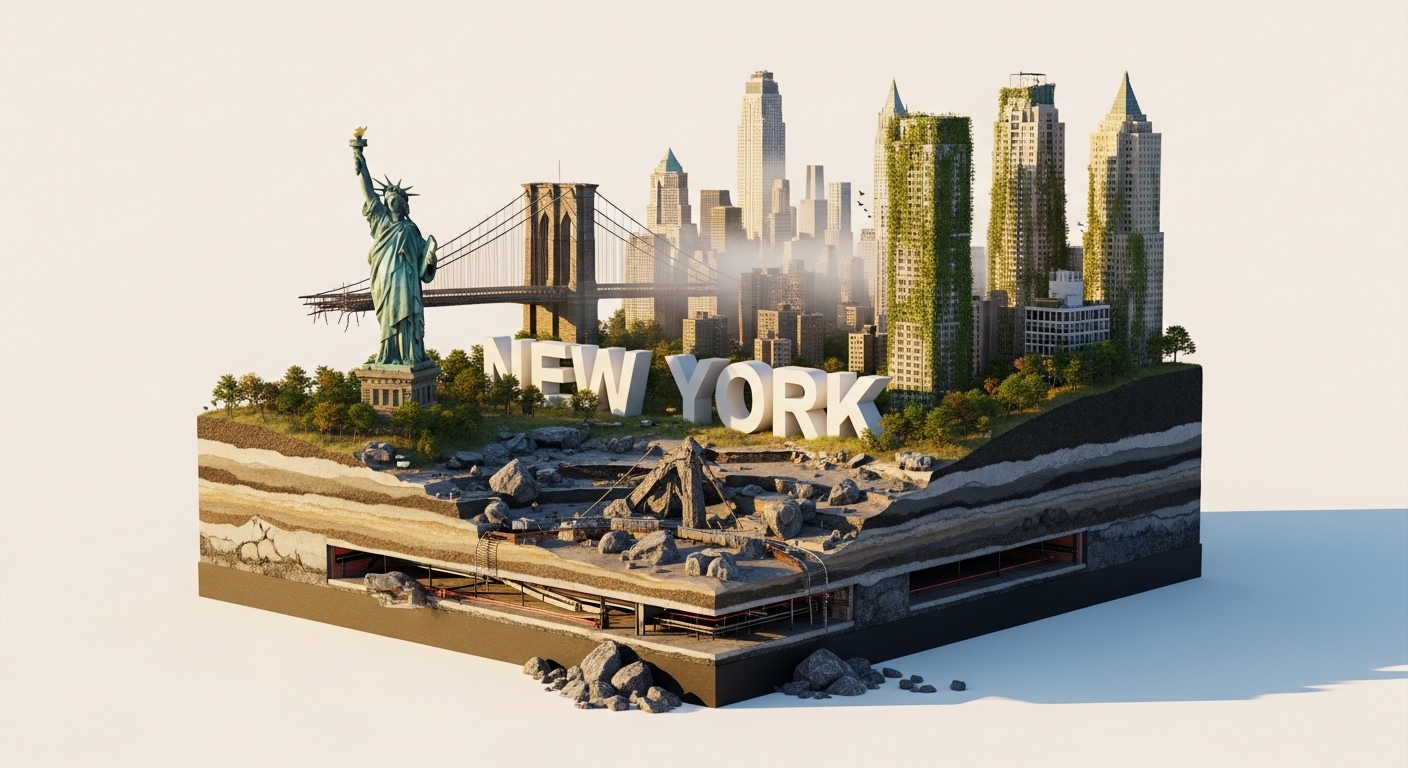
Create a stylish, hyper-realistic 1:1 poster of a post-apocalyptic New York as a square diorama. The scene features the ruined Statue of Liberty and a crumbling Brooklyn Bridge, with layered terrain of exposed subway tunnels, water, and rocks for depth, and overgrown ivy reclaiming the skyscrapers. Integrate the city’s name “NEW YORK” in sleek 3D white letters, blending into the rubble. Use a cinematic, moody aesthetic—cracked facades, subtle morning fog, and dynamic golden hour lighting. Place the diorama on a clean white background. Ultra-detailed, high-resolution.
Prompt Example
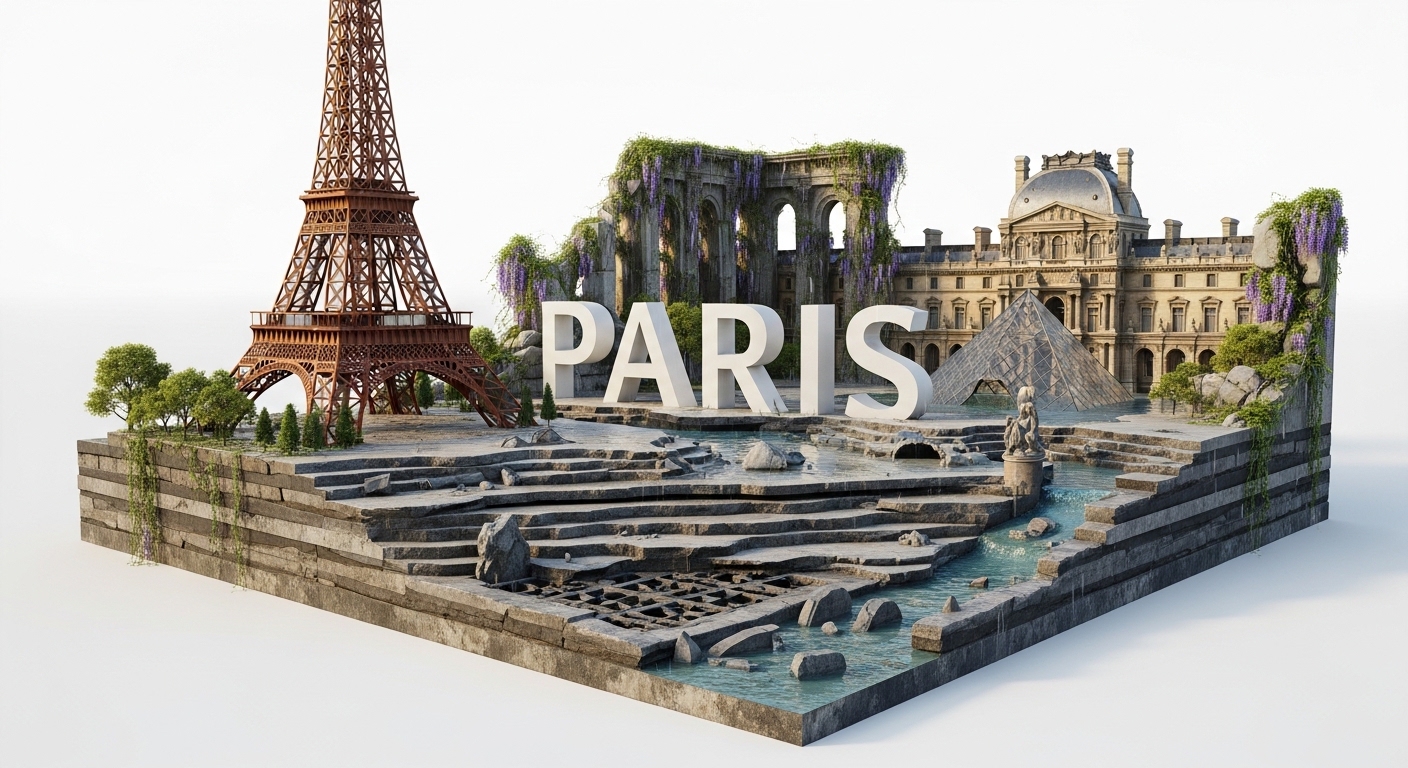
Create a stylish, hyper-realistic 1:1 poster of a post-apocalyptic Paris as a square diorama. The scene features a rusted, skeletal Eiffel Tower and the flooded Louvre, with layered terrain of exposed catacombs, Seine river water, and rocks for depth, and overgrown wisteria reclaiming the city. Integrate the city’s name “PARIS” in elegant 3D white letters, nestled among the ruins. Use a cinematic, romantic-decay aesthetic—cracked marble, subtle rain, and soft, diffused lighting. Place the diorama on a clean white background. Ultra-detailed, high-resolution.
Prompt Example
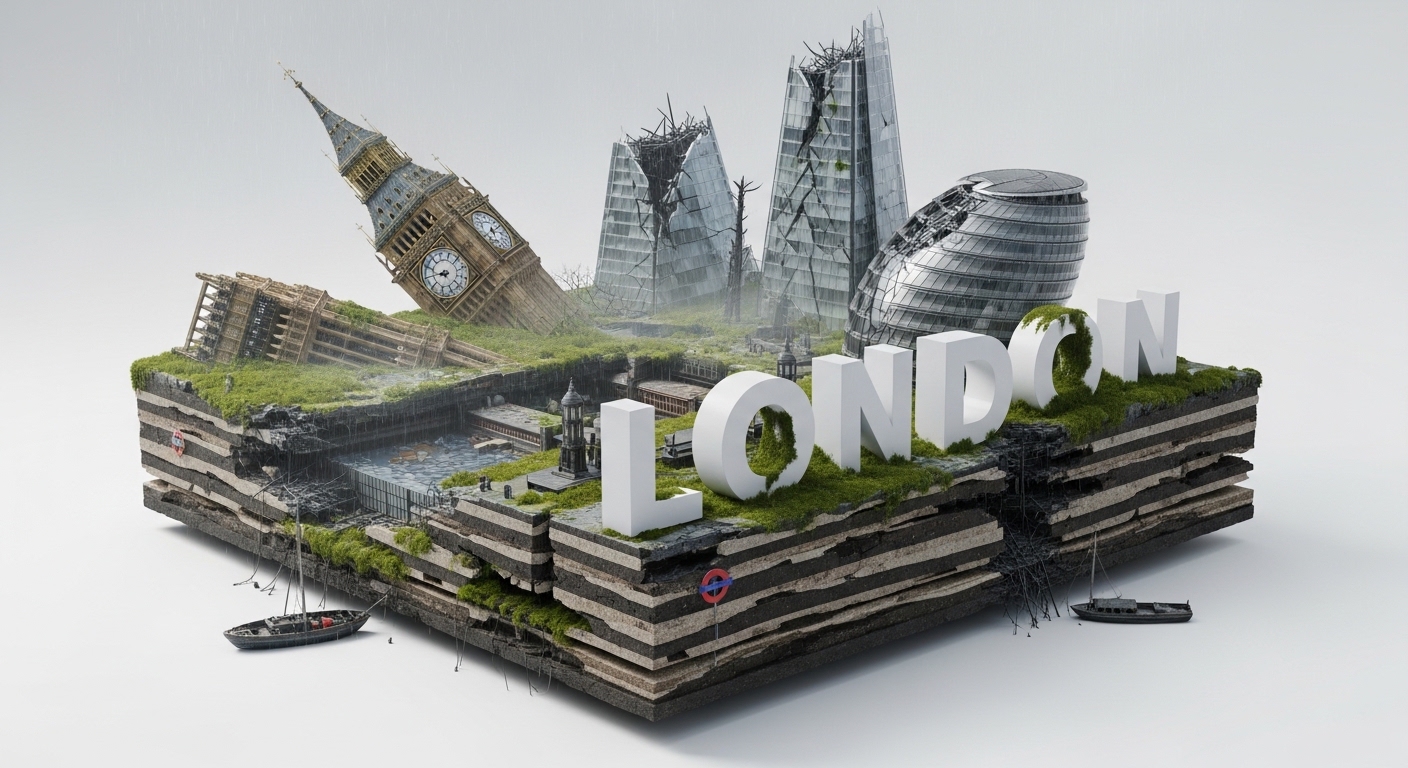
Create a stylish, hyper-realistic 1:1 poster of a post-apocalyptic London as a square diorama. The scene features a fallen Big Ben and a shattered Shard, with layered terrain of exposed tube stations, Thames water, and rocks for depth, and overgrown moss reclaiming the city. Integrate the city’s name “LONDON” in bold 3D white letters, appearing as modern ruins. Use a cinematic, gloomy aesthetic—perpetual drizzle, thick fog, and stark, dramatic lighting. Place the diorama on a clean white background. Ultra-detailed, high-resolution.
Prompt Example
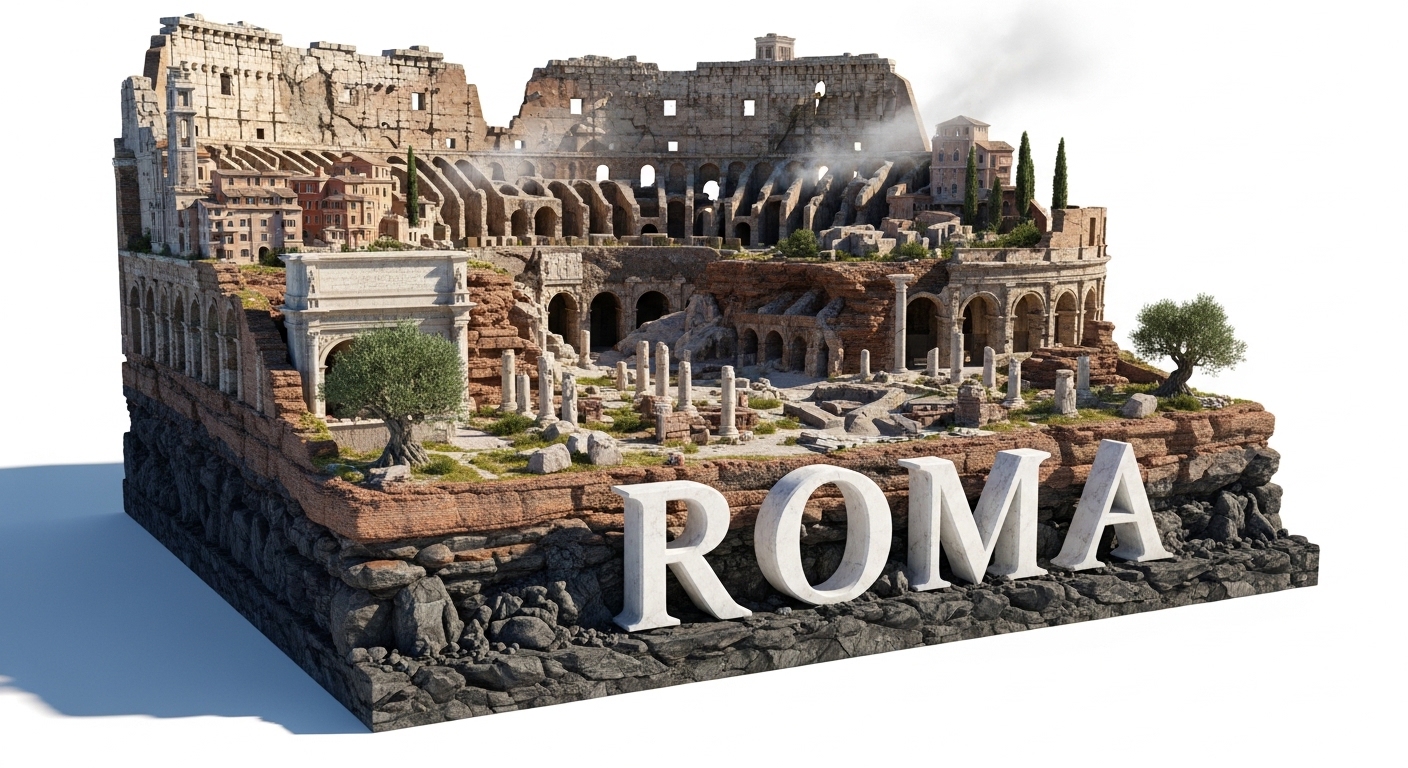
Create a stylish, hyper-realistic 1:1 poster of a post-apocalyptic Rome as a square diorama. The scene features a crumbling Colosseum intertwined with collapsed modern buildings, with layered terrain of exposed ancient aqueducts, water, and volcanic rock for depth, and overgrown olive trees reclaiming the city. Integrate the city’s name “ROMA” in classic serif 3D white letters, looking like ancient marble. Use a cinematic, 'ancient-meets-end' aesthetic—sun-bleached stone, heat haze, and harsh afternoon sunlight. Place the diorama on a clean white background. Ultra-detailed, high-resolution.
Prompt Example
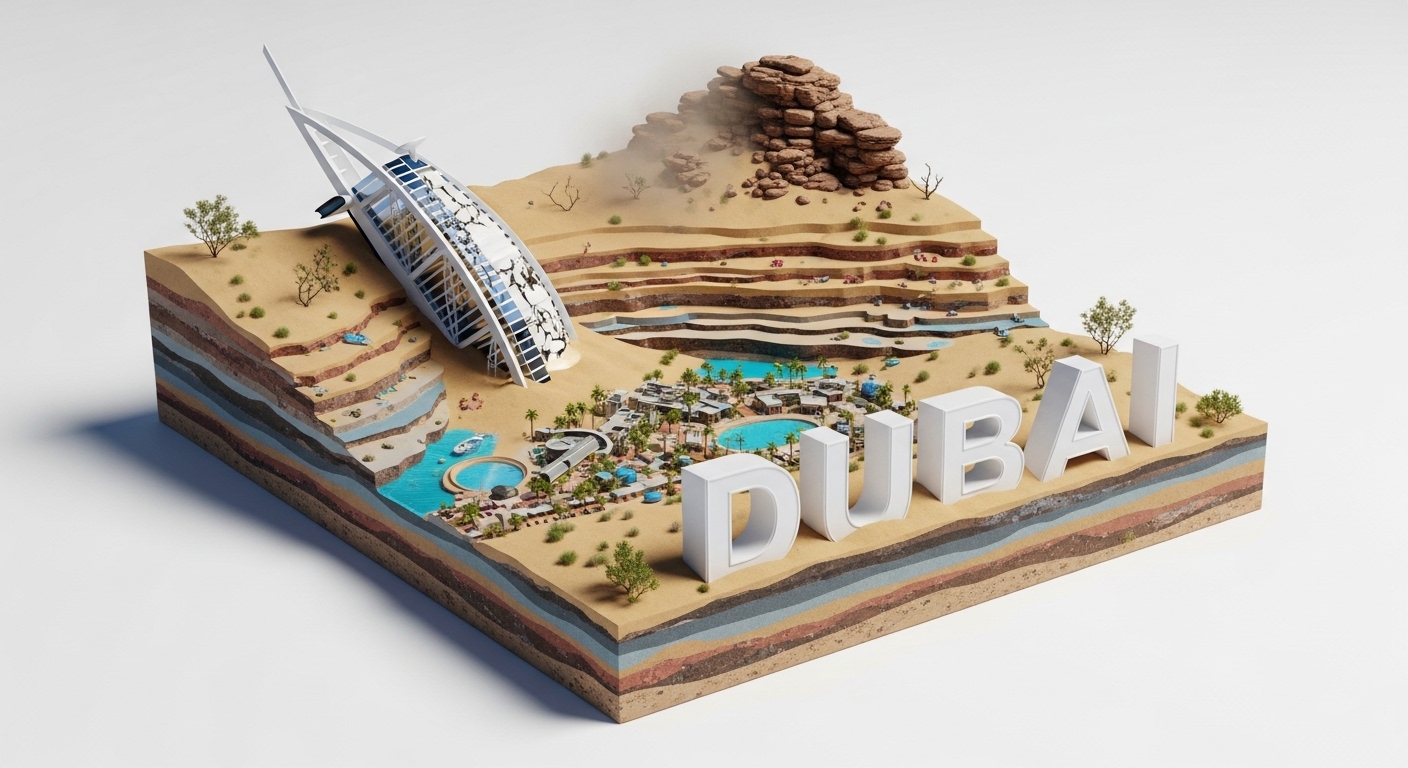
Create a stylish, hyper-realistic 1:1 poster of a post-apocalyptic Dubai as a square diorama. The scene features a sand-swallowed Burj Khalifa, with layered terrain of exposed desert bedrock, oases, and dunes for depth, and hardy desert shrubs reclaiming the city. Integrate the city’s name “DUBAI” in futuristic 3D white letters, half-buried in sand. Use a cinematic, 'opulence-lost' aesthetic—cracked glass, shimmering sandstorms, and intense, blinding desert sun. Place the diorama on a clean white background. Ultra-detailed, high-resolution.
Use Cases & Tips
Mastering the Ruined City Aesthetic
This prompt is your key to crafting a compelling ruined city aesthetic. The diorama format gives you a unique cross-section view, perfect for storytelling.
- For World-Builders: Visualize key locations for your novel, game, or TTRPG campaign. Use the prompt to create a square diorama with AI that showcases the aftermath of a world-changing event.
- For Concept Artists: Quickly generate high-quality portfolio pieces. Experiment with different cities to explore various stylish apocalyptic city design ideas and architectural decay.
- For Social Media Content: Create a viral series of ‘Reclaimed by Nature’ cityscapes. The clean white background makes these images pop on any feed.
Achieving Hyper-realistic Art with Cinematic Lighting
The success of this prompt hinges on its visual fidelity. To get the best hyper-realistic art, focus on the lighting and atmospheric details.
- Lighting is Key: Use terms like ‘god rays’, ‘volumetric lighting’, ‘golden hour’, or ‘eerie twilight’ to control the mood. This is crucial for achieving dramatic cinematic lighting.
- Atmosphere: Add elements like ‘swirling fog’, ‘light dust motes in the air’, or ‘gentle rain’ to enhance the realism and sense of abandonment. This is a core part of any good Midjourney prompt for post-apocalyptic poster designs.
How to Generate 3D Text in an AI Landscape
Integrating typography is a powerful feature of this prompt. The key is making the text feel like a physical part of the world.
- Materiality: Specify the material of the letters. Are they ‘cracked concrete’, ‘moss-covered stone’, or ‘rusted metal’? This helps the AI art generator blend the text seamlessly.
- Interaction: Describe how the environment interacts with the 3D typography. For instance, ‘vines wrapping around the letters’ or ‘water flowing over the base of the text’ makes it feel grounded and real.
Frequently Asked Questions
Q1. How do I create a diorama of a ruined city using this AI prompt?
Simply copy the prompt template and replace the bracketed text like [city] and [X:Y] with your desired specifics. For example, replace '[city]' with 'Chicago' and '[X:Y]' with '1:1' for a square aspect ratio. Then, paste it into your preferred AI art generator.
Q2. What makes a good Midjourney prompt for a post-apocalyptic poster?
A strong prompt for this theme should include four key elements: a specific subject (e.g., 'ruined London'), a clear art style ('hyper-realistic', 'cinematic'), detailed environmental elements ('overgrown moss', 'thick fog'), and specific lighting instructions ('dramatic, gloomy lighting'). This prompt combines all four for excellent results.
Q3. How can I generate 3D text that looks like part of the AI landscape?
The key is to describe the text as a physical object within the scene. Instead of just asking for text, the prompt asks to 'Integrate the city’s name... in sleek 3D white letters, blending organically into the landscape.' This tells the AI to treat the letters as part of the environment, subject to the same lighting, decay, and overgrowth.
Q4. Can I change the aspect ratio from a square diorama?
Absolutely. The '[X:Y]' placeholder is for the aspect ratio. While '1:1' creates a perfect square, you can change it to '16:9' for a cinematic widescreen look or '9:16' for a vertical poster suitable for mobile wallpapers.
Q5. What are some stylish apocalyptic city design ideas I can try with this prompt?
Get creative by mixing themes! Try a 'bioluminescent jungle' reclaiming the city for a sci-fi feel. Or specify a 'frozen, ice-covered' city for a post-apocalyptic ice age. You can also change the architecture style, such as 'Art Deco ruins' or 'Brutalist concrete structures,' to create a unique ruined city aesthetic.
Q6. How can I enhance the hyper-realistic art style in my generation?
To push the realism, add more specific technical terms to the end of the prompt. Phrases like 'photorealistic', '8K resolution', 'shot on IMAX 70mm film', 'octane render', and 'unreal engine 5' can significantly boost the detail and quality produced by the AI art generator.